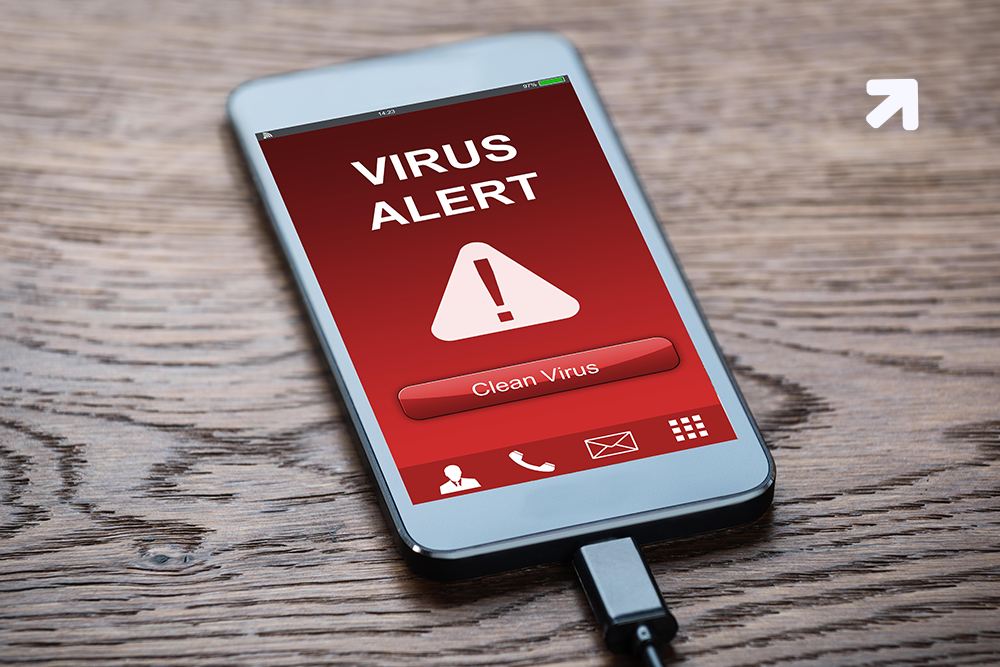
Due to the widespread popularity of Android smartphones and iPhones, you can see them being used in almost every individual’s hand. However, apart from numerous benefits, there is also a drawback connected with it. The devices are prone to be infected with virus. Yes, viruses are like a big headache for the people and for the mobile app developers because it slows the device performance, stop functioning of mobile apps and corrupt various file and folder. As consumers, this is one of the most annoying things for all of us, therefore, I have found best ways to remove virus from Android device. If you are a victim of virus in your Android tablet, this ultimate guide of virus removal procedure can come in handy for you.
How to recognize if your phone has a ‘virus’?
With the rapid development of mobile internet, the Android mobile phone is becoming powerful, and the virus is raging as well. If an Android phone has a less security factor, once infected with the virus, it will lead to multiple security issues such as personal privacy disclosure, mobile phone cotton, account theft, transaction data leakage, etc. Therefore, it needs to be resolve as soon as possible. Before I start, there are some major points, which indicate that your device is infected with an virus. Have a look-
- Increased Data Usage: If you see a sudden spike in data usage, this could be a sign that a virus is running background tasks or trying to use the Internet to transmit information from your phone.
- Excessive App Crashing: If the Android apps in the phone start crashing regularly, then the possibility of having a virus attack on your device is 90%.
- Faster Battery Drain: One of the major sign you will see is on battery performance. If your smartphone battery is draining faster than usual, then virus is the major cause.
- Overheating: While there are majority of reasons that your phone is overheating normal and relatively harmless, it is also possible that it’s because of a malware infection.
- Unfamiliar Apps: A common symptom of malware on Android phones is because of some fake apps. In that case, you should uninstall unfamiliar apps immediately.
- Pop-ups: If you are seeing pop-up ads on your Android or iPhone even when your browser is closed, then it could be malicious pop-ups caused by malware trying to steal your data.
After knowing all the above-mentioned points, I am sure that you would search for better ways to secure your phone from viruses. Don’t worry! Next, I will show you top methods to help you remove virus from Android phone quickly.
Steps to Follow for Removing an Android Virus
- Boot Android in Safe Mode
The first thing you need to do is to put your android mobile device in the safe mode. The reason for performing this step is that when the safe mode stops functioning, the third-party apps from running on your device including the virus. Therefore, it makes it easier for you to spot it and remove it from the device.
- Keep Your Phone Up To Date
This is one of the crucial points for every smartphone user. You can see the most recent security update under Security->Settings.
Thanks to the amazing feature, Google provides to the user i.e. Google Play Protect. This frequently scans your mobile phone for malware, and should be enabled by default if your phone is up to date. You can check by going to Settings > Google > Security > Google Play Protect. Moreover, if the toggle next to Scan device for security threats is off, turn it on.
- Avoid Installing Apps Outside Of The Google Play Store
It is a serious fact that apps not available in the Play store pose a high security risk; apps on third-party sites are much more likely to be problematic since Google can’t inspect them. It has been suggested that if your Android device is slow, using too much data, or showing corrupted data, then you could have downloaded an android mobile app from non-trusted source. This could be dangerous, as it can affect the performance of your phone; at worst, your private data, such as passwords or payment information, could be exposed.
Currently, on phones running Android 7.0 Nougat and earlier you could easily download apps not in the Google Play store by going to Settings > Security > Unknown Sources and checking the box next to it.
For Android 8.0 Oreo and later, that setting is no longer available, and downloading non-Google Play apps is more difficult. You will need to download an APK file to install the app. Doing this is usually asking to get a virus, though. Due to this risk, top android app development companies always prefer to publish their app or play store.
Also Read: Want to get rid of Unwanted Applications? Here you go!
If you see the same app names, but have a different developer’s name on it, then it could be hazardous. Sometimes these clones are just trying to earn ad revenue until you figure out your mistake, or trying to steal your identity. In any case, be sure to verify the app developers before downloading any app.

- Use Android Virus Scan Apps
Virus scan apps are like a boon to the mobile devices. For extra security on your device, consider downloading an additional antivirus app apart from Google Play Protect. There are many free antivirus apps for Android developed from top-rated app development companies
Final Thoughts
As consumers use their smartphones to store their personal and professional information, the temptation for hackers to create dangerous viruses and other malware will continue to increase. Therefore, you have to be updated with the best ways for removing an android virus. Protect yourself now with the steps given here. Top app developers from Fluper have also developed multiple apps for virus safety apps, which can be helpful for you.
 16+ Years of Tech Mastery
Transforming Ideas into Market Ready Platforms |
16+ Years of Tech Mastery
Transforming Ideas into Market Ready Platforms |