Today, we all are able to use different mobile apps on our smartphones and easily perform everything. But did you know the reason behind it?
This all is due to the operating system built in our smartphone which allows us to perform various activities with the use of mobile apps. There is various operating system which offers different functionality, but there is no doubt that Android is one of the best operating systems.
Recently Android has completed its 11 years of success in the digital coup. It is hired by Google and the decision of Google to make it available for everyone allows it to become the most popular among third-party phone developers.
Now Google’s Android is the most popular operating system that allows rising of android app development company. Apple’s iOS is the only OS system that is still standing as a competitor of it neither all are negligible in competition.
So, through this blog, we are going to discuss the history of Android OS and its evolution towards becoming the most popular OS.
Introduction of Android
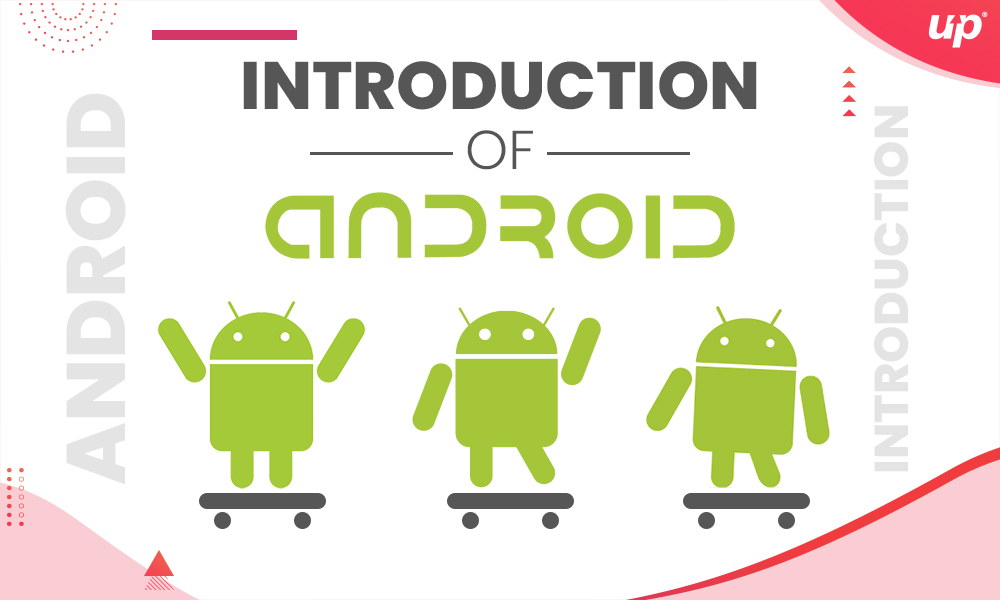
Android is one of the most popular OS which is mainly designed for allowing mobile applications to run on smart devices. The main work of Android is towards the mainframe of integration on the Linux Kernel as well as on different open-source software.
In October 2003, the company Android Inc. was established in Palo Alto, California. There are four founders of the company; Andy Rubin, Rich Miner, Chris White, and Nick Sears as they set the roots of Android OS. Their main motive towards establishing company was to create an advanced operating system for the digital camera which can smartly work by recognizing the location and recommendations.
In the year 2005, Google acquires the Android, the Rubin and his team continued with working over the kernel shell with having a target to create the smart devices for a different state of the art. The decision of working with Google was taken to use the Linux for the Android OS.
Features of Android OS
Now Android comes as a pre-installed OS in most of the smart devices and also on the range of smartphones. The reason behind its wide reach is that it offers a fantastic feature like;

 Easy to access and also affordable in range
It works on the Android Open Source Project, a technology behind Android source code which was issued under Apache license.
It delivers multi-task preface.
It manages the Multi-Touch interface.
Regular updates with a better experience.
These are some of the features of Android OS which makes them one of the best operating systems in delivering the better user-experience.
The reason behind Sweet Code Names
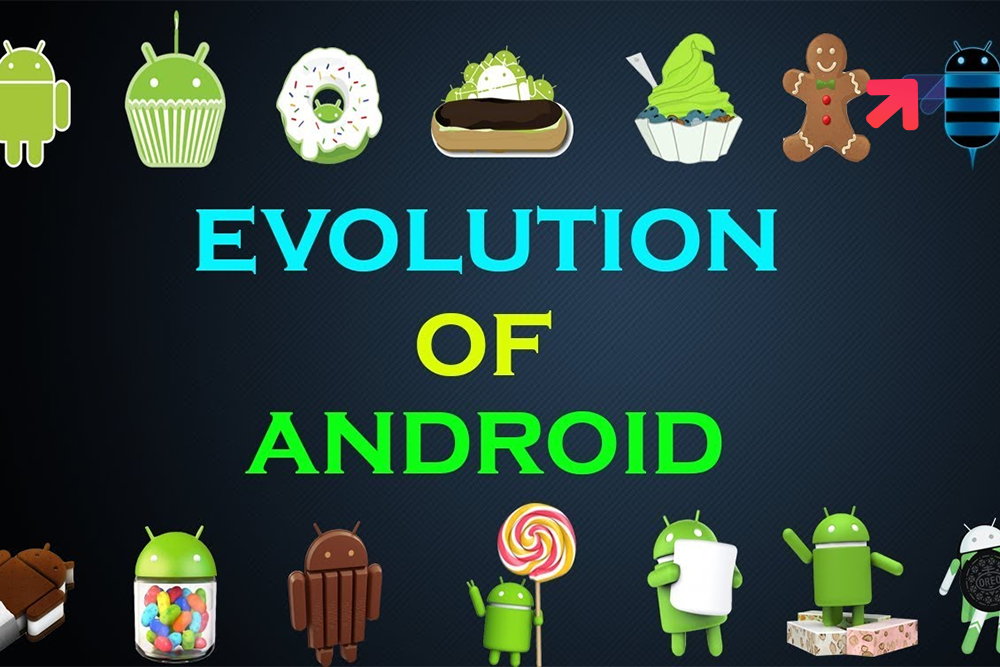
Whenever the Android launches its new version, it comes with the name of Candy or desserts. But did you know the reason for it? When Android launches first version 1.0 in 2008, it doesn’t have any public code name, still, it has the name ‘Petit Four’, but only for internal people under the development process.
But after that when Android 1.5 releases in April 2009, it comes with a public code name ‘Cupcake’. After that, all Android versions come with a sweet code name and it continues till the last Android version released; “Android 9.0 Pie”.
When Android version 4.4 named as KitKat released, they made an official statement regarding the sweet code name. Google disclosed that ‘Android helps devices to make our life sweet, that’s why each Android version comes with a name after sweet or desert’.
The Journey of Android OS
There is no doubt that Android covers a long journey in the development field to become the most popular operating system. Google hire Android app developers who are best in the field to deliver continuous growth with timely updates.
Let’s learn more by discussing the journey of Android OS which revolves around its development in the field of digitalization and accessibility with their smart devices.
Different versions of Android since its beginning:
 Android 1.0 (2008)
It was the first Android version that allows the smartphone to rule the world. In comparison to today, the version was not mind-blowing, but at that time it comes as a huge change in the technology field.
The notch drew feature of notification in this version was comes as a surprise for users and developers. It also has the convenience to use the home screen that also influences the arrival of iOS.

Android 1.5 (2009), Cupcake
It is the first version that comes with a sweet code name and it changed the interface of the smartphone by bringing the On-Screen keyboard. This is the version that initiates the trend of using names.
This version also allows the implementation of third-party applications and also manufacturing of it.
Android 1.6 (2009), Donut
This Donut version of Android sets the market for freely available and paid apps. It also enhances the user experience by supporting the different size of the display.
It also creates the Pandora box that allows suggestions via Quick search bar which allows accessing the messages and files in just a click without taking any time.
Android 2.0 (2009), Eclairs
It was the best OS till then and the Google maps Navigations was the best thing about this version and it is still in use with updates.
The mobile Internet was first raised through this version which makes it easy to watch videos and images on the Internet. It also enabled the lock screen function to provide security.
Android 2.2 (2010), Froyo
This version comes with the redesign of home screen panels. The Froyo version also enables the mobile hotspot feature and restored the gallery app.
It also brings out the security keys by the PIN LOCK system for smartphone users.
Android 2.3 (2010), Gingerbread
Samsung Galaxy S was the first smartphone comes with this version as it comes with enhanced multi-touch support. This version also brought the trend of front cameras in smartphones and enhances the craze of the selfie.
Android 3.0 (2011), Honeycomb
This version brought the trend of mobile screen appearance as the home and back buttons are replaced by virtual buttons on the display of the screen.
It also allows users to move the app from the home screen for customization reasons.

Android 4.0 (2011), Ice Cream Sandwich
This version comes with the virtual buttons on the screens allowing users to use the large screen. One of the major changed in this version was blue highlight for notifications.
It also brought the chart which shows the usage of data throughout the day.
Android 4.1 (2012), Jelly Bean
It was the revolutionized update till date in the Android as in this version Google brought all his apps on a single platform.
It also allows users to use Google with just Swipe on the home screen.
Android 4.4 (2012), KitKat
This version brought the redesigned on the outlook of the display. It also restored the colors on the screen by launching stock apps.
The most important feature of this update was OK Google that carried the commands.
Android 5.0 (2014), Lollipop
This update targeted the notification upgrades and this version of Android also brought the Android TV trend on the market that is still in use.
Most importantly this update is all about Time-Compilation.
Android 6.0 (2015), Marshmallow
This update restored the outlook of the menu bar and also brought control over volume, calls, and alarms.
The most important feature that comes up with this update was Fingerprint sensors.
Android 7.0 (2016), Nougat
This update comes with a Google assistant to replace Google for fast actions. It also brought the feature of split screens and also allowed users to switch the screens of different apps.
Android 8.0 (2017), Oreo
It raised the feature of Multi-tasking and also delivered authority to users for on and off the notification panels.
It also brought features like enabled Wi-Fi, smart keyboard, and various others.
Android 9.0 (2018), Pie
It brought the three virtual buttons with only a single touch button and also comes with the visual change.
Android 10 (2019)
It is the latest Android version and the important thing is that it comes without having any name.
It enables the dark mode on your screen and also comes with different gestures to abscond the button on your device.
Conclusion:
From the above blog, it is clear that Android comes with a long journey to become the best operating system. It always brings new advancement of technology in its every update and delivers better service to android users. Fluper being a leading iOS app development company allows you to hire the best app developers to use the best services of Android OS.


 16+ Years of Tech Mastery
Transforming Ideas into Market Ready Platforms |
16+ Years of Tech Mastery
Transforming Ideas into Market Ready Platforms |