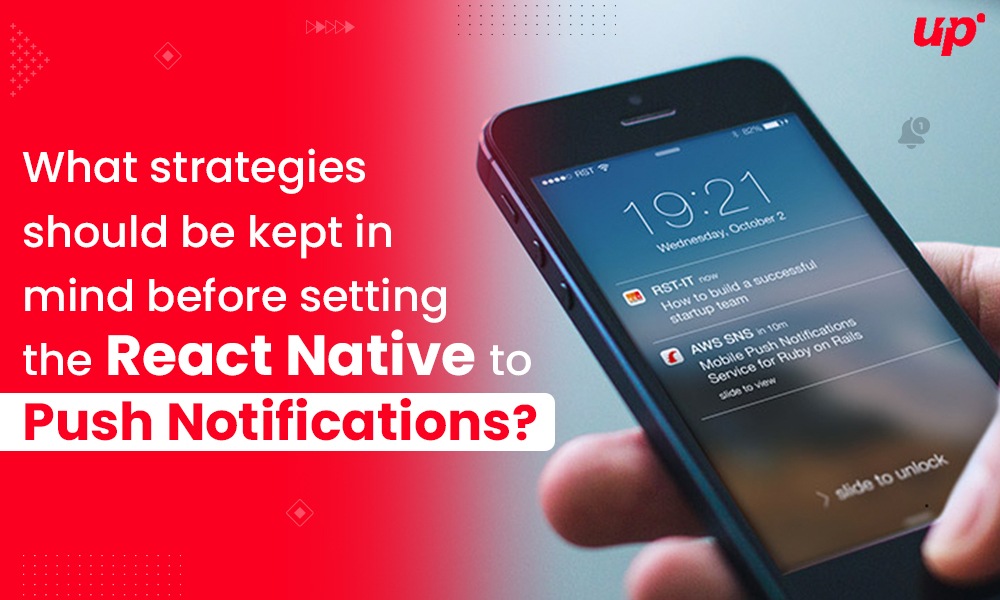
What strategies should be kept in mind before setting the React Native to push notifications
Communication plays a crucial role in developing the long-term relationship between the customers and business. Without a doubt, digital platforms have made communication easy for businesses via social media, mobile marketing, and more. Also, digital mediums play a huge role in customer retention and increasing sales. Therefore, many businesses are choosing push notifications to stay in touch with users regularly.
Well, there are lots of factors that influence the online engagement of users but push notification marketing strategy is ruling the online marketing trends. So, if you’re taking interest in the same, so why not get your hands on it?
Well, if you’re a newbie and don’t know how to get started then read this post till the end. This will walk you through react native push notifications; it’s set up, and rules to stand your business out from the crowd.
Let’s dive in!
What are Push Notifications?
Push notifications are clickable pop-up messages that would appear on users’ mobile even when they are not operating your site. These act as quick communication channels that enable the companies to convey messages and offers as well as other notifications.
These were introduced in 2009 in the digital marketing channel but nowadays, it is getting huge value than the past few years. Marketers are still wondering and discovering the use of Push notifications especially react-native Push notifications.
If you’re also one of them, then you will need to know about the usage of react-native push notifications in-depth.
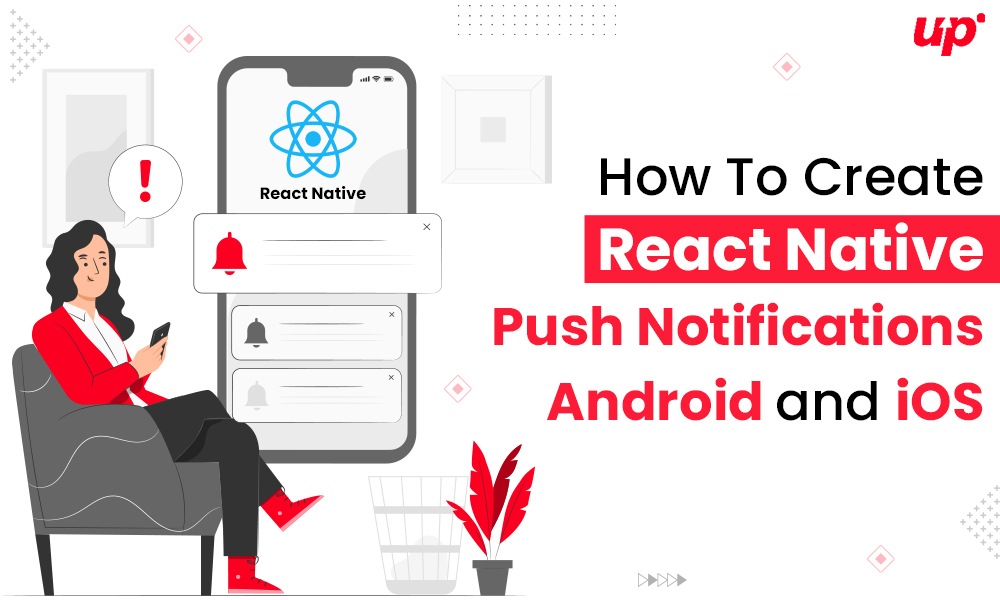
How To Create React Native Push Notifications Android and iOS
How To Create React Native Push Notifications: Android and iOS?
Before moving into push notifications strategies you would need to set up the react-native push notifications first. So, here is the step-by-step guide.
Note – Follow the steps as recommended to avoid complications.
Things you will need:
- NodeJS, V8.3 or ulterior
- React Native (react native >= 0.60.0)
For Android:
- Device with having Google play services
- Account on firebase
- Android studio
For iOS:
- Xcode
- iOS device like iPhone
- iOS push certificate
A Step-By-Step Guide To Create React Native Push Notifications
Step 1- Create The Project
Click on the new project and enter the name of your project, select android or iOS. Then tap create button.
Step 2- Set Up Push Notifications Details
For Android: Add Credentials
- Find the server key and sender ID in firebase project cloud settings.
- Click on the gear icon and choose project settings.
- Choose cloud messaging tab
- Next go to the WonderPush dashboard and go to the settings page.
- Select the platforms tab and click on android applications.
- Next paste the server key
- Save the settings
For iOS: Upload credentials
- Jump on Apple developer website
- Choose accounts >> certificates and profiles >> tap on plus button >> add documents
- Choose your ID and follow the next steps.
- Settings >> platforms >> iOS app >> fill the push certificate >> enter password.
Step 3- Add SDK
Create the React Native push notification app and add the WonderPush React Native SDK as follows:
npm install react-native-wonderpush –save
npm install react-native-wonderpush-fcm –save
Next Link the react Native SDK:
react-native link react-native-wonderpush
react-native link react-native-wonderpush-fcm
Add Push notification entitlement, service extension, and background mode
- Open the xcworkspace file of your project in Xcode
Open ios/*.xcworkspace
- Next add device capability
Choose apps >> click + capability >> add background modes >> push notifications
Note- make sure push notifications are checked.

- Next add the service extension for notifications in Xcode as:
Select file >> new >> target >> choose notification service extension.
- Now enter the WonderPush Notification extension as the name of your target.
If Xcode prompts to activate the new scheme then tap on the cancel button to keep Xcode debugging your app instead extension.
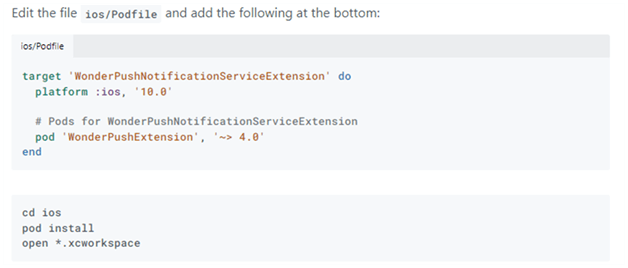
In case if you activated it accidentally, go back and set the deployment target of your notifications service extension up to 10. Also, use automatic signing for target extension.
If you’re getting an error, so check the given image.
Step 4- Add Code
The final step is to add required code, and here is the code for you. Remember you need to add it in app class.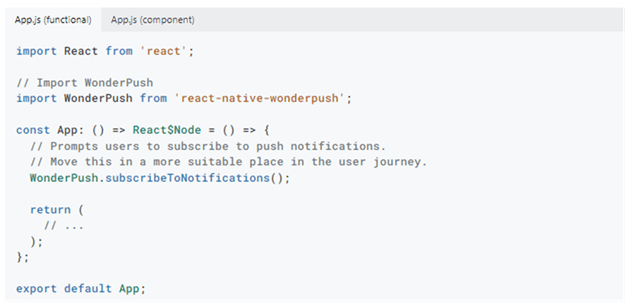
For Android:
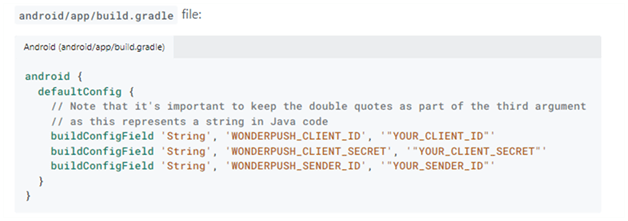
Note- Replace YOUR_CLIENT_ID and YOUR_CLIENT_SECRET with the appropriate values.
You’ll find it on the Settings page. Replace YOUR_SENDER_ID with the Firebase Sender ID.
For iOS:
Open the appdelegate and add the following.
Finally, we are ready to modify the code of notifications server you have created in previous step. Here’s how you can do this.
That’s all! Get your first push notification ready.
4 Top Strategies That You Should Keep In Mind before Sending the Notifications
- Do not Send Too Many Notifications on One Time
It is true user’s does not mind getting notifications but if they are popping up frequently, they can be annoying and they take seconds to delete your app. So you must walk through the customer’s insights and find the frequency of sending notifications via studying their behavior, lifestyle, requirements, etc.
- Send Personalized messages
It is a tested and proven marketing strategy for every marketer and they believe it works like a pro. For instance, adding a receiver name in first can help you have better results instead of other messages. Well, yes, adding a name is not enough. You need to be very smart in creating messages. Keep in mind users often open messages that seem special and personal to them. Big companies like Swiggy, Netflix, and Amazon are the best examples to consider.

- Keep the Message Clear and Crisp
It doesn’t matter what kind of audience you’re targeting, ensure it speaks the clear language and is readable in the notification block. The crisper, clear, and concise your messages would be, the more you build a loyal customer base for you.
- Set The Right Time For Notifications
Sending short and personalized messages are not enough. You need to send them correctly at the right time to the right audience. Sending messages at suitable timings would help you engage more users. As per the testing, the best time is to send messages is 6-8 PM.
The Bottom Line
React Native Push Notifications is best in its own way. But it is crucial to come up with the right strategies that would help you gain the best from your constant efforts. Sending the right messages at the right time is the only rule that can turn the whole game in your favour. Also, do remember the steps of creating push notifications.
 16+ Years of Tech Mastery
Transforming Ideas into Market Ready Platforms |
16+ Years of Tech Mastery
Transforming Ideas into Market Ready Platforms |